python GUI庫(kù)圖形界面開(kāi)發(fā)之PyQt5打印控件QPrinter詳細(xì)使用方法與實(shí)例
打印圖像是圖像處理軟件中的一個(gè)常用功能,打印圖像實(shí)際上是在QPaintDevice中畫(huà)圖,與平時(shí)在QWidget。QPixmap和QImage中畫(huà)圖是一樣的,都是創(chuàng)建一個(gè)QPainter對(duì)象進(jìn)行畫(huà)圖的,只是打印使用的是QPrinter,它的本質(zhì)上也是一個(gè)QPainterDevice(繪圖設(shè)備)
QPrinter的使用實(shí)例import sysfrom PyQt5.QtWidgets import QApplication,QMainWindow,QLabel,QSizePolicy,QActionfrom PyQt5.QtPrintSupport import QPrintDialog,QPrinterfrom PyQt5.QtGui import QImage,QIcon,QPixmapclass MainWindow(QMainWindow): def __init__(self,parent=None): super(MainWindow, self).__init__(parent) #設(shè)置標(biāo)題 self.setWindowTitle(’打印圖片’) #創(chuàng)建標(biāo)簽,設(shè)置標(biāo)簽的大小規(guī)則以及控件的位置居中 self.imageLabel=QLabel() self.imageLabel.setSizePolicy(QSizePolicy.Ignored,QSizePolicy.Ignored) self.setCentralWidget(self.imageLabel) #實(shí)例化Qimage類(lèi) self.image = QImage() #自定義的多個(gè)函數(shù),實(shí)現(xiàn)的功能不一 self.createActions() self.createMenus() self.createToolBars() if self.image.load(’imagesscreen.png’): self.imageLabel.setPixmap(QPixmap.fromImage(self.image)) self.resize(self.image.width(),self.image.height()) def createActions(self): #加載圖標(biāo),添加快捷方式,添加提示信息,綁定槽函數(shù) self.PrintAction=QAction(QIcon(’imagesscreen.png’),self.tr(’打印’),self) self.PrintAction.setShortcut(’Ctrl+P’) self.PrintAction.setStatusTip(self.tr(’打印’)) self.PrintAction.triggered.connect(self.slotPrint) def createMenus(self): #實(shí)例化菜單欄,并添加一個(gè)父菜單,以及把PrintAction添加到父菜單下 PrintMenu=self.menuBar().addMenu(self.tr(’打印’)) PrintMenu.addAction(self.PrintAction) def createToolBars(self): #在工具欄區(qū)域內(nèi)添加控件printACtion fileToolBar=self.addToolBar(’Print’) fileToolBar.addAction(self.PrintAction) def slotPrint(self): #實(shí)例化打印圖像對(duì)象 printer=QPrinter() #打印窗口彈出 printDialog=QPrintDialog(printer,self) if printDialog.exec_(): painter=QPainter(printer) #實(shí)例化視圖窗口 rect=painter.viewport() #獲取圖片的尺寸 size=self.image.size() size.scale(rect.size(),Qt.KeepAspectRatio) #設(shè)置視圖窗口的屬性 painter.setViewport(rect.x(),rect.y(),size.width(),size.height()) #設(shè)置窗口的大小為圖片的尺寸,并在窗口內(nèi)繪制圖片 painter.setWindow(self.image.rect) painter.drawImage(0,0,self.image)if __name__ == ’__main__’: app=QApplication(sys.argv) main=MainWindow() main.show() sys.exit(app.exec_())
運(yùn)行程序,顯示效果如下
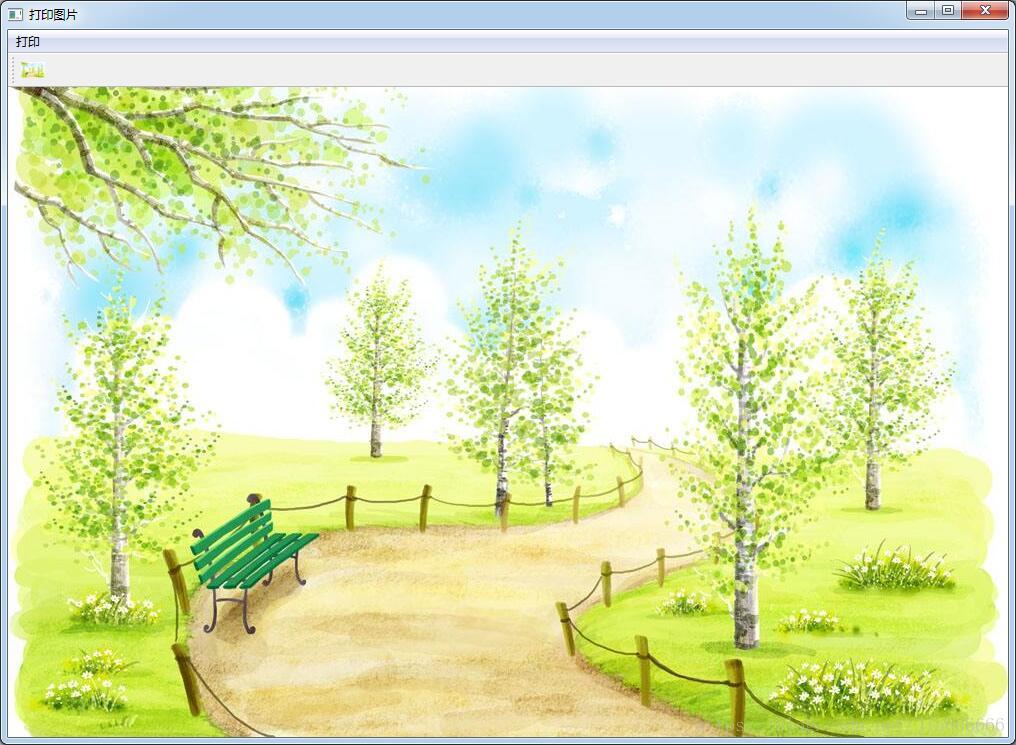
打印功能
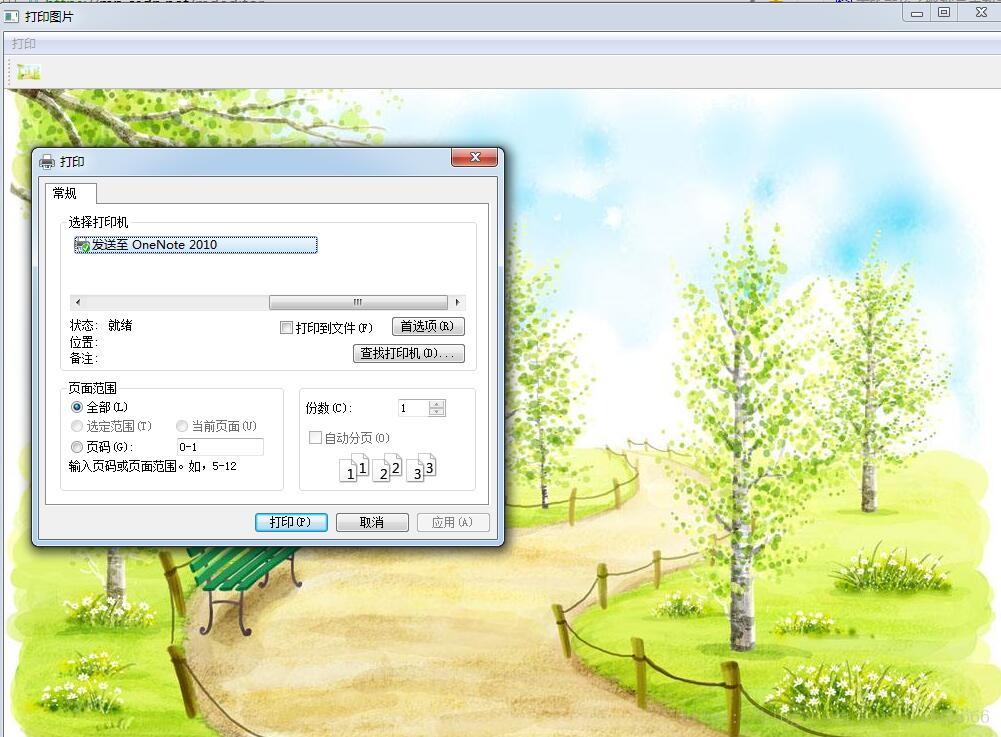
本文詳細(xì)講解了PyQt5打印控件QPrinter詳細(xì)使用方法與實(shí)例,更多關(guān)于PyQt5控件知識(shí)請(qǐng)查看下面的相關(guān)鏈接
相關(guān)文章:
1. 解決VUE項(xiàng)目使用Element-ui 下拉組件的驗(yàn)證失效問(wèn)題2. 數(shù)組在java中的擴(kuò)容的實(shí)例方法3. 解決VUE 在IE下出現(xiàn)ReferenceError: Promise未定義的問(wèn)題4. 匹配模式 - XSL教程 - 45. js+h5 canvas實(shí)現(xiàn)圖片驗(yàn)證碼6. AspNetCore&MassTransit Courier實(shí)現(xiàn)分布式事務(wù)的詳細(xì)過(guò)程7. uni-app結(jié)合PHP實(shí)現(xiàn)單用戶登陸demo及解析8. 輕松學(xué)習(xí)XML教程9. Docker暴露2375端口導(dǎo)致服務(wù)器被攻擊問(wèn)題及解決方法10. CSS3實(shí)例分享之多重背景的實(shí)現(xiàn)(Multiple backgrounds)
 網(wǎng)公網(wǎng)安備